
Picture in Picture
Float any view in the system picture in picture window on iOS and Android
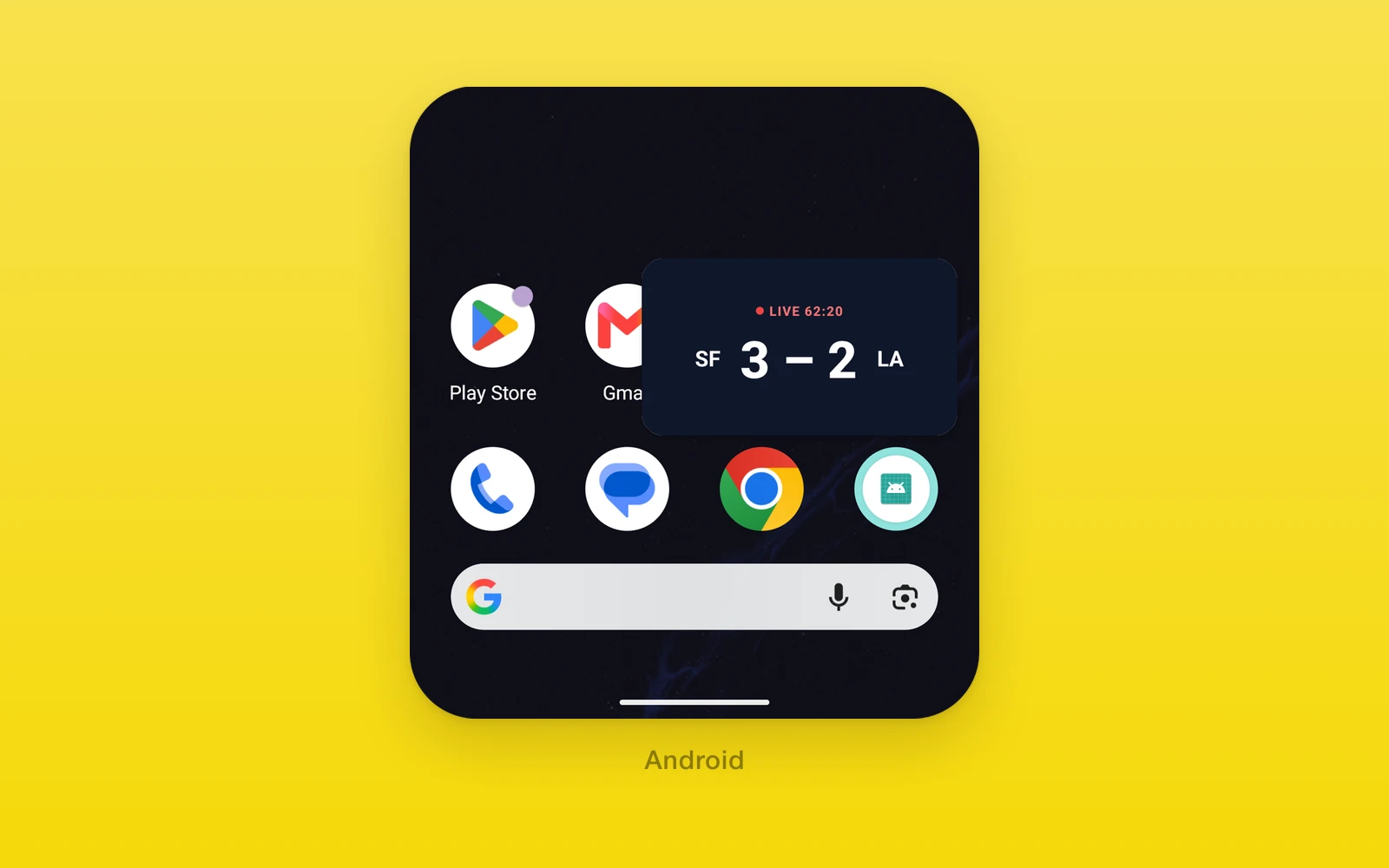
One.UI.PictureInPicture floats its children in the system picture in
picture window, where they keep updating while people use other apps. It
works for any view, not only video: a live score, a timer, a call, a
delivery map.
On iOS it uses AVPictureInPictureController with a sample buffer layer as
the content source. On Android it puts the activity in picture in picture
mode. On web the children render inline and the window never opens.
Usage
Turn the capability on in your app config, then run prebuild:
import { one } from 'one/vite'
export default {  plugins: [one({ native: { app: { name: 'Scores', pictureInPicture: true } } })],}
Then wrap the content and give it a size. The window takes its aspect ratio.
import { useState } from 'react'import { One } from 'one'
function LiveScore() {  const [active, setActive] = useState(false)  return (    <One.UI.PictureInPicture      style={{ width: '100%', aspectRatio: 16 / 9 }}      active={active}      autoEnter      onActiveChange={setActive}    >      <Scoreboard />    </One.UI.PictureInPicture>  )}
autoEnter opens the window when people leave the app. onActiveChange
keeps active in step with what the system does.
How it works
Config. pictureInPicture: true makes prebuild add the audio background
mode on iOS, which keeps the app running while the window is up, and
android:supportsPictureInPicture to the Android main activity.
iOS. The system window shows a video layer, not views, so One turns your
views into frames. About 30 times a second, a timer renders the component’s children into
a pixel buffer with Core Animation and queues it on an
AVSampleBufferDisplayLayer. Frames are drawn only while the window is up,
plus one just before the app goes to the background, so an automatic start
opens on current content. The window has no backdrop, so transparent areas
show the component’s background color, or the system background when it has
none. The content is reported as live, so the window hides its scrubber and
skip buttons.
Picture in picture opens only with a playback audio session, so the component sets the session to playback with mixing and activates it, which leaves any audio already playing alone.
Android. The system shrinks the whole activity into the window. While it is up, the React root keeps its full size, so nothing reflows, and a mirror the size of the window draws only this component, scaled to fit and redrawn every frame. An activity in picture in picture is paused, which would stop JavaScript timers, so the component resumes the React host for as long as the window shows. Auto enter uses the system setting on Android 12 and later; earlier versions enter when the system reports that the user is leaving the app.
Ending. Returning to the app ends picture in picture and the content is
back inline. Setting active to false ends it too: on iOS by stopping the
controller, on Android by bringing the app’s task to the front, since Android
has no call to leave the mode.
API reference
| One.UI.PictureInPicture | Type | Description |
|---|---|---|
childrenReactNodeThe content, shown inline and in the window. | ReactNode | The content, shown inline and in the window. |
activeboolean = falseAsks for the window. Acted on when it changes. | boolean = false | Asks for the window. Acted on when it changes. |
autoEnterboolean = falseOpen the window when the app goes to the background. | boolean = false | Open the window when the app goes to the background. |
onActiveChange(active: boolean) => voidEvery real transition, including ones the system makes. | (active: boolean) => void | Every real transition, including ones the system makes. |
The component also takes View props. style sets the inline size and the
window’s aspect ratio.
Platform differences
| iOS | Android | Web | |
|---|---|---|---|
| Window shows | Frames of the children, 30 a second | The children, scaled into the window | Never opens |
| Aspect ratio | The component’s | The component’s, clamped to 2.39:1 either way | |
| Auto enter | Controller setting | Android 12 system setting, earlier on leave |
Limits and gotchas
activeis a request. The component acts when the value changes, and the system can open or close the window on its own. FeedonActiveChangeback intoactive, or a latertruewill not register as a change.- Size it. The window’s aspect ratio comes from the component’s layout box, so a zero sized component has nothing to show.
- iOS draws through Core Animation. Each frame is the layer tree rendered to a bitmap, and not every kind of layer renders that way. Check video players and GPU canvases on a device before relying on them in the window.
- iOS changes the audio session. It is set to playback with mixing when the controller is created. If your app manages its own audio session, set it up after this component mounts.
- iOS has not been checked on a physical iPhone. The iPhone simulator has no picture in picture window, so treat the iOS path as preview until it is.
Examples
Offer a button to pop out
import { useState } from 'react'import { Button, View } from 'react-native'import { One } from 'one'
function CallTile() {  const [floating, setFloating] = useState(false)  return (    <View>      <One.UI.PictureInPicture        style={{ width: 240, height: 320 }}        active={floating}        onActiveChange={setFloating}      >        <Participant />      </One.UI.PictureInPicture>      <Button title={floating ? 'Return' : 'Pop out'} onPress={() => setFloating(!floating)} />    </View>  )}
When the window closes from its own controls, onActiveChange(false) resets
floating, so the button reads correctly and the next press opens it again.
Edit this page on GitHub.