
iOS Widgets
Home Screen widgets and Live Activities under One.Widgets, One.LiveActivities, and One.iOS.WidgetUI
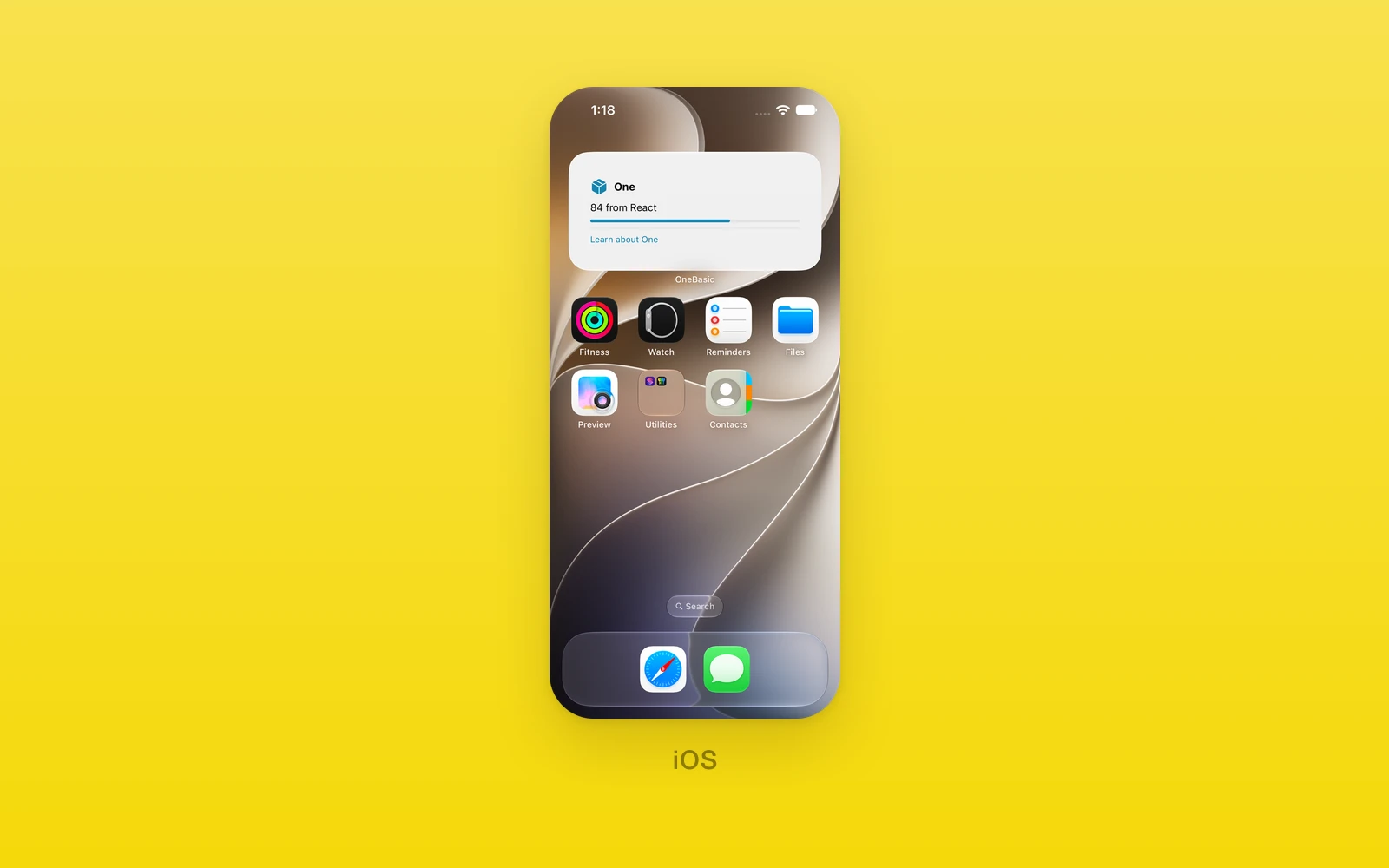
One.Widgets writes data and layouts to the Home Screen widget extension,
One.LiveActivities starts, updates, and ends Live Activities, and
One.iOS.WidgetUI builds widget layouts in JSX that encode to native widget
views. Plain write, start, and update take typed data for a custom
Swift layout; the *View variants take JSX the framework encodes.
Reach for widgets for glanceable Home Screen content and Live Activities for
time-bound updates on the Lock Screen and Dynamic Island. Both need the
widgets block in native.app.ios of the One config and a new iOS build;
without them every call throws.
Usage
import { One } from 'one'
async function showDelivery() {  await One.Widgets.write({ title: 'Delivery', value: '12:40', subtitle: 'Arriving' })  const id = await One.LiveActivities.start('Delivery', { status: 'En route', value: '12:40' })  await One.LiveActivities.update(id, { status: 'Arriving', value: '12:35' })}
How it works
On iOS the calls cross a native bridge module generated from the widgets
config. Without the config, or on a build that predates it, the bridge is
missing and every call throws iOS widgets require native.app.ios.widgets and a new iOS build. Data calls serialize JSON and can write at most 4 KB.
JSX layouts encode through encodeWidgetView or encodeActivityView into
JSON (WidgetUI.toJSON() encodes the same), which the native Swift decoder
reads; unknown elements, bad style values, and non hex colors throw in
JavaScript where the error is visible.
On Android and web there is no widget surface. Widget writes and activity
updates or endings have no effect, pushToken returns null, and listener
removers do nothing. Starting an activity rejects with
LiveActivities.start needs an iOS or Android build, keeping the return
contract honest instead of resolving to nothing. On Android, widget writes,
activity starts, updates, endings, and push-token listener registration
reject with <op> requires an iOS native build, while pushToken and
onPushToken behave as on web.
Widgets
One.Widgets writes the widget’s content. Data payloads are { title, value, subtitle }. The *View variants take a WidgetUI layout instead.
| Function | Signature |
|---|---|
write | (data: { title: string; value: string; subtitle: string }) => Promise<void> |
writeView | (view: ReactNode) => Promise<void> |
import { One } from 'one'
async function refreshWidget() {  await One.Widgets.write({ title: 'Delivery', value: '12:40', subtitle: 'Arriving' })  await One.Widgets.writeView(    <One.iOS.WidgetUI.VStack style={{ padding: 12 }}>      <One.iOS.WidgetUI.Text>Delivery 12:40</One.iOS.WidgetUI.Text>    </One.iOS.WidgetUI.VStack>  )}
LiveActivities
One.LiveActivities manages Live Activities. State is { status: string; value: string }; push token events are { id: string; token: string }.
push opts into push updates.
| Function | Signature |
|---|---|
start | (title: string, state, push?: boolean) => Promise<string> (resolves the activity id) |
startView | (title: string, view: ActivityView, push?: boolean) => Promise<string> |
update | (id: string, state) => Promise<void> |
updateView | (id: string, view: ActivityView) => Promise<void> |
end | (id: string) => Promise<void> |
pushToken | (id: string) => Promise<string | null> |
onPushToken | (listener: (event) => void) => () => void (returns an unsubscribe function) |
An ActivityView places a WidgetUI tree in each Live Activity region:
| ActivityView | Type | Description |
|---|---|---|
lockScreen (required)ReactNodeThe Lock Screen banner. | ReactNode | The Lock Screen banner. |
compactLeadingReactNodeLeft of the camera in the compact Dynamic Island. | ReactNode | Left of the camera in the compact Dynamic Island. |
compactTrailingReactNodeRight of the camera in the compact Dynamic Island. | ReactNode | Right of the camera in the compact Dynamic Island. |
minimalReactNodeThe Dynamic Island when another activity shares it. | ReactNode | The Dynamic Island when another activity shares it. |
expandedLeadingReactNodeThe expanded Dynamic Island, leading side. | ReactNode | The expanded Dynamic Island, leading side. |
expandedTrailingReactNodeThe expanded Dynamic Island, trailing side. | ReactNode | The expanded Dynamic Island, trailing side. |
expandedBottomReactNodeThe expanded Dynamic Island, below the sides. | ReactNode | The expanded Dynamic Island, below the sides. |
import { useEffect } from 'react'import { One } from 'one'
function DeliveryActivity() {  useEffect(() => One.LiveActivities.onPushToken((event) => console.log(event.id, event.token)), [])
  async function begin() {    const id = await One.LiveActivities.start('Delivery', { status: 'En route', value: '12:40' }, true)    await One.LiveActivities.update(id, { status: 'Arriving', value: '12:35' })    await One.LiveActivities.end(id)  }
  return null}
WidgetUI
One.iOS.WidgetUI builds widget content. A layout needs a WidgetUI root;
anything else throws Widget JSX needs a WidgetUI root. Only WidgetUI
primitives and pure components are allowed inside. Each element takes a
style with optional children:
| Element | Props |
|---|---|
Text, VStack, HStack, ZStack | children |
Spacer, Divider | none |
Image | systemName, an SF Symbol |
Progress, Gauge | value, with optional total |
Circle, Rectangle, RoundedRectangle | optional fill hex and cornerRadius |
Link | url, an absolute URL, with children |
| WidgetStyle | Type | Description |
|---|---|---|
colorstringThe text and symbol color. | string | The text and symbol color. |
backgroundColorstringThe fill behind the element. | string | The fill behind the element. |
fontSizenumberThe text size in points. | number | The text size in points. |
fontWeight"regular" | "medium" | "semibold" | "bold"The text weight. | "regular" | "medium" | "semibold" | "bold" | The text weight. |
fontDesign"default" | "rounded" | "serif" | "monospaced"The system font design. | "default" | "rounded" | "serif" | "monospaced" | The system font design. |
paddingnumberSpace inside the element on every side. | number | Space inside the element on every side. |
borderRadiusnumberRounds the background. | number | Rounds the background. |
spacingnumberThe gap between a stack's children. | number | The gap between a stack's children. |
widthnumberA fixed width. | number | A fixed width. |
heightnumberA fixed height. | number | A fixed height. |
opacitynumberFrom 0 to 1. | number | From 0 to 1. |
lineLimitnumberThe most lines a Text shows. | number | The most lines a Text shows. |
alignment"leading" | "center" | "trailing"How a stack aligns its children. | "leading" | "center" | "trailing" | How a stack aligns its children. |
Style values must survive the Swift decoder, which reads numbers as Double,
lineLimit as Int, and colors as six-digit hex like #1685B1. Anything
else fails the whole layout decode, so the encoder rejects it in JavaScript.
import { One } from 'one'
async function widgetPreview() {  await One.Widgets.writeView(    <One.iOS.WidgetUI.HStack style={{ spacing: 8 }}>      <One.iOS.WidgetUI.Image systemName="star" />      <One.iOS.WidgetUI.Text style={{ color: '#1685B1', lineLimit: 1 }}>Delivery 12:40</One.iOS.WidgetUI.Text>    </One.iOS.WidgetUI.HStack>  )}
Platform differences
| iOS | Android | Web | |
|---|---|---|---|
| Writes | Native bridge | Rejects | Noop |
| Start | Activity id | Rejects | Rejects |
| Token | Push token | Null | Null |
On an iOS 27 simulator, Home Screen widgets render and update both typed payloads and JSX content. Live Activities render, update and end with both forms on the Lock Screen. Expanded Dynamic Island content has been verified with JSX. Compact and minimal Dynamic Island presentations, scalar content in the Dynamic Island, and a physically locked device remain unverified.
The app and WidgetKit extension must use the same App Group and have the required signing capabilities. A successful write alone does not prove that the system widget has rendered the new content.
Limits and gotchas
- Widgets need config and a build. Without the
widgetsblock innative.app.ios, or on a build that predates it, every call throws. - Data writes cap at 4 KB. Keep payloads small; layouts go through the
*Viewvariants. - Encoders throw early. Unknown elements, bad style values, and non hex colors fail in JavaScript before anything reaches native.
- Off iOS nothing renders. Void calls resolve without doing anything,
startandstartViewreject, and the token reads null.
Edit this page on GitHub.